Overview
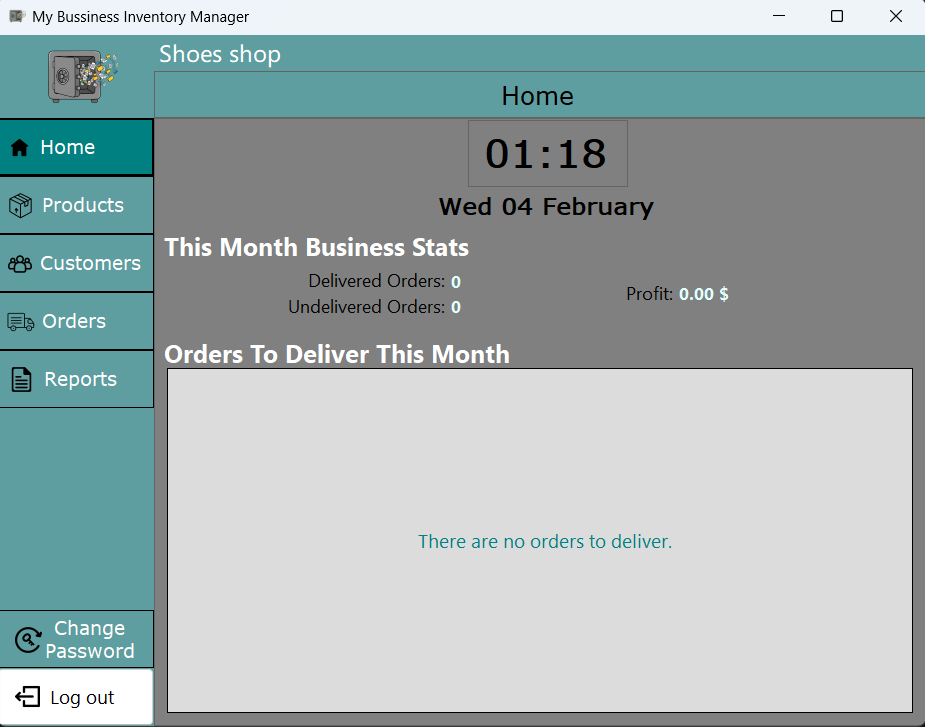
A Windows desktop application built with C# and WinForms for managing the day-to-day inventory operations of a small business, tracking products, customers, and orders behind a login-protected interface. The home dashboard surfaces live business stats, delivered versus undelivered orders and monthly profit, plus upcoming deliveries, and a dedicated reporting view lets the user review stored records.
Architecture
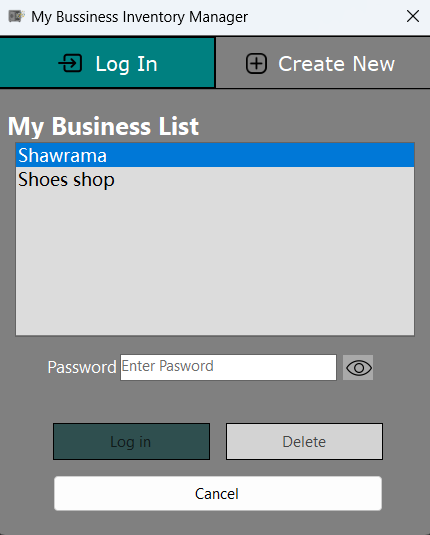
The application follows an event-driven WinForms structure with a login screen gating access to the main dashboard, and a sidebar-navigated interface (Home, Products, Customers, Orders, Reports) built from separate, modular forms per business area. Rather than a database engine, application state is persisted locally as JSON under the user's Windows AppData folder, created automatically on first run, keeping the application self-contained with no external server dependency.
Key Features
- Login-protected access with a change-password flow
- Product, customer, and order management: add, edit, delete, view
- Home dashboard with live business statistics: delivered/undelivered orders and monthly profit
- Upcoming-deliveries view for the current month
- Reporting screen for reviewing stored business data
- Fully local, offline data persistence with no server or internet connection required
Technical Challenges
- Keeping inventory quantities, order status, and computed stats like monthly profit consistent as products, customers, and orders are added, edited, or deleted independently
- Structuring the local data layer so it survives application restarts without a database engine, while staying predictable to read and write from multiple forms
Engineering Decisions
- Separated the UI event handlers in each WinForms form from the underlying business logic and data-access code, so operations like computing monthly profit aren't duplicated across screens
- Stored data locally under the OS-managed AppData directory instead of a bundled database file, matching how small single-user Windows desktop tools are typically distributed
Technologies Used
C# and Windows Forms (.NET) for the desktop UI and event-driven application logic, with local JSON files used for persistence instead of a database engine, keeping the application self-contained and easy to distribute as a single executable.
Lessons Learned
- Practiced separating UI event handling from reusable business logic in a WinForms application
- Gained experience with event-driven desktop application design end to end, from login to reporting
- Learned how early persistence decisions, flat local files versus a database, shape how much rework is needed as an application grows